Find a Syllabus
Look up any CMU course and see its syllabus, for the current semester or past ones.
Browse syllabi
Sign in to view syllabi.
How to browse
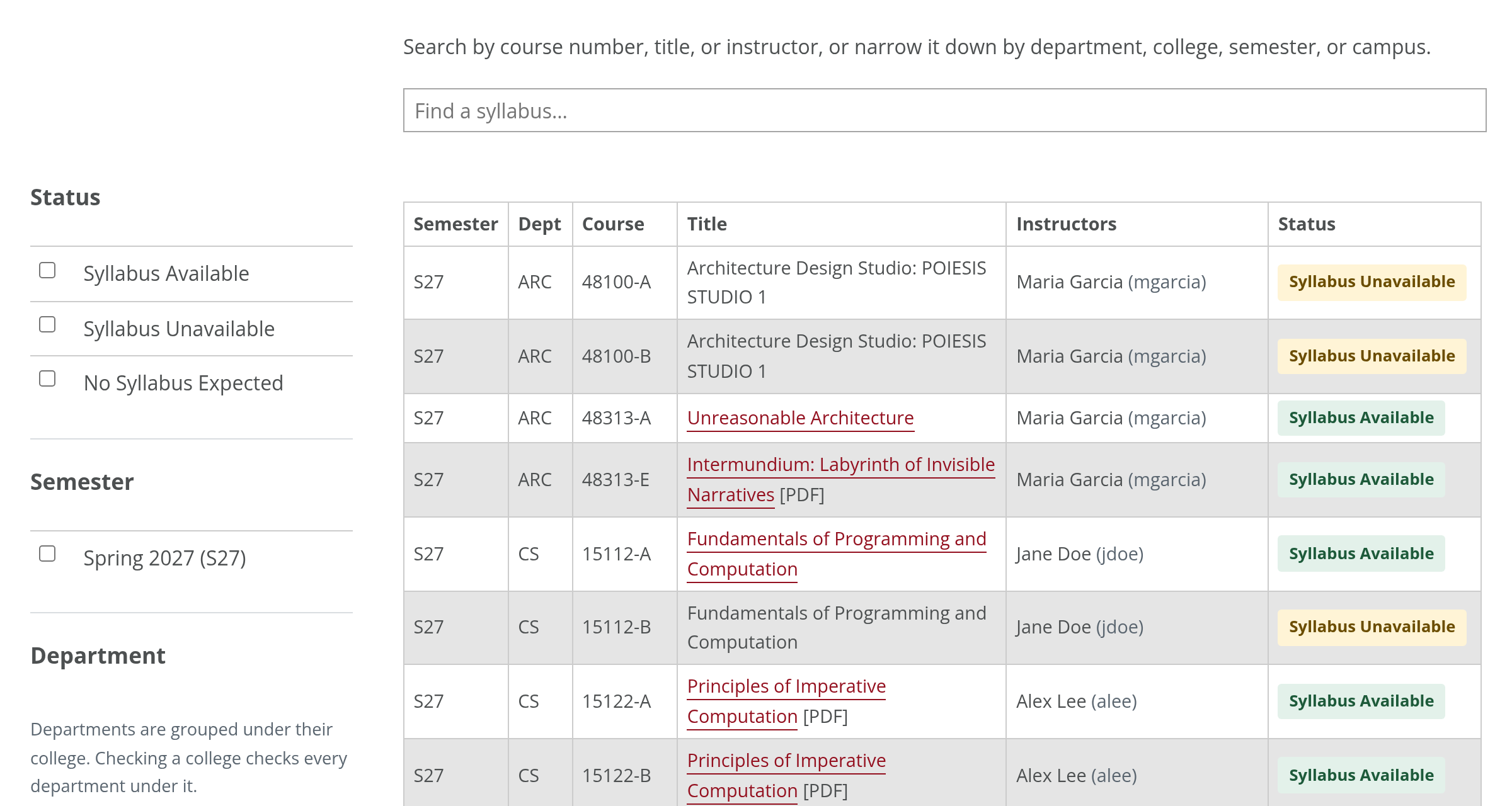
- Search by course number (15112), title, or instructor.
- Narrow it down with the filters: semester, department, college, campus, or status.
- View the syllabus by selecting the course title. A label after it, such as [PDF] shows the format when it's not a web page.
What the statuses mean
| Syllabus Available | A syllabus is on file. Select the course title to view it. |
|---|---|
| Syllabus Unavailable | Not added yet. Syllabi usually appear around the start of the semester, so check back then. |
| No Syllabus Expected | The section doesn’t have a standard syllabus, such as an independent study or internship. Contact the department for details. |