What will I see once I put the headset on?
IMPORTANT FEATURES on the MENU
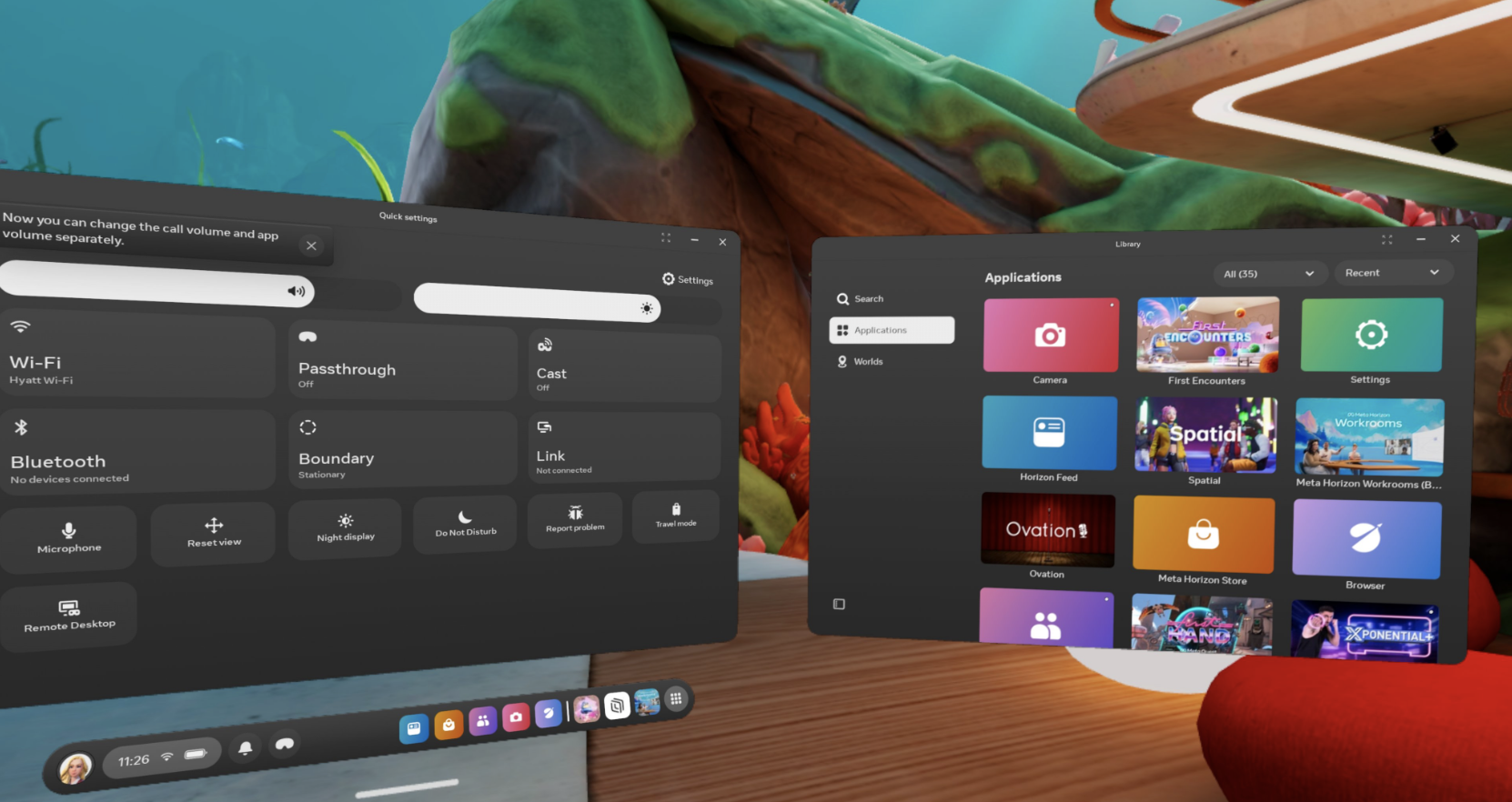
Bottom MENU bar
Profile
The Profile icon is on the left side of the menu bar (located at the bottom with a photo). This is where you'll update your avatar.
Quick Settings
To the right of your photo, you'll see an icon with the time, a wifi signal, and the battery level. Quick Settings gives you access to commonly used features and the main "Settings" button. When you're at home, click the wifi button to connect your headset to wifi.
Notifications
To the right of Quick Settings is the notification Bell. This will inform you about updates, important information about your account, and when photos/videos are posted to your Meta app.
Passthrough
To the right of the bell is your Passthrough icon; it's an image of an XR headset. Click this when you want to see your "real" environment.
9 dot box (Library)
The Library is the far right icon. It contains a Search function for applications, all of your downloaded Applications, and Worlds. The Worlds function gives you quick access to the top recommended Meta Horizon Worlds.